
Add your company logo, client details, and site information to brand every document.

AnyPin by Pin-Apps
AnyPin: Inspection Report App
Create a detailed inspection report on any image with numbered pins and photos.
AnyPin helps you create a professional inspection report right from your device. Stop juggling separate notepads and cameras. Instead, place numbered pins on any image to create a clear, visual record of your findings for site audits, snagging lists, and condition surveys.
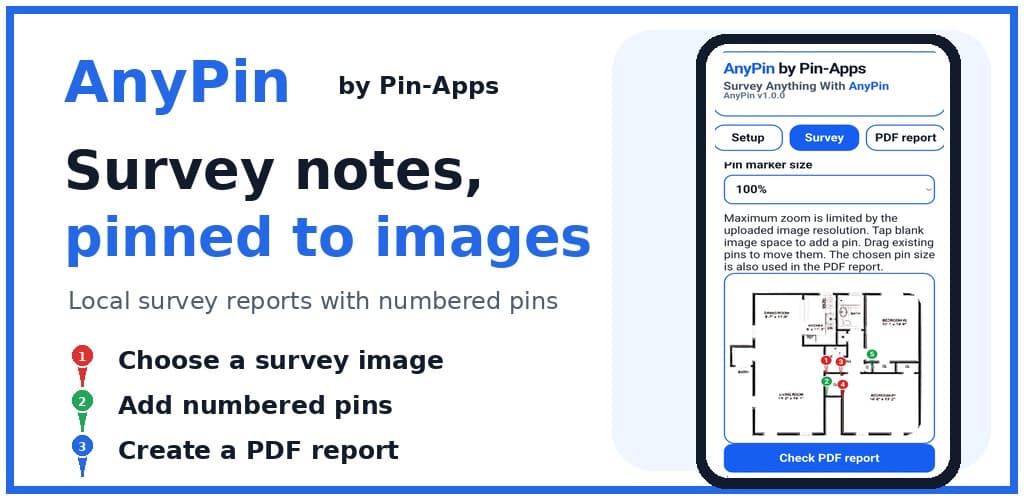
AnyPin by Pin-Apps
Visual inspections made clear
Create an offline-first survey on your device, connect detailed observations and supporting photos to numbered pins, and turn the results into a professional PDF inspection report.
Product preview
See the inspection workflow
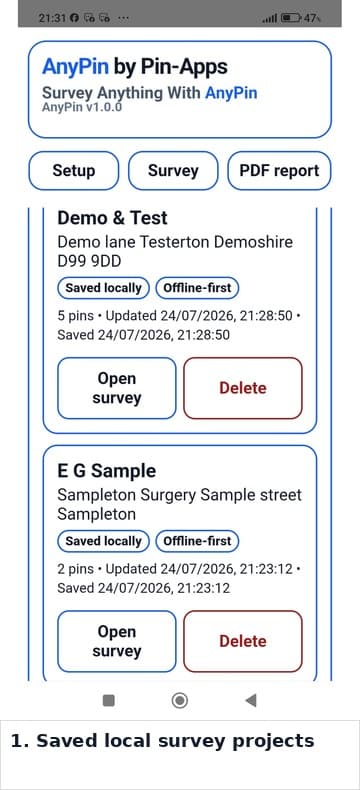
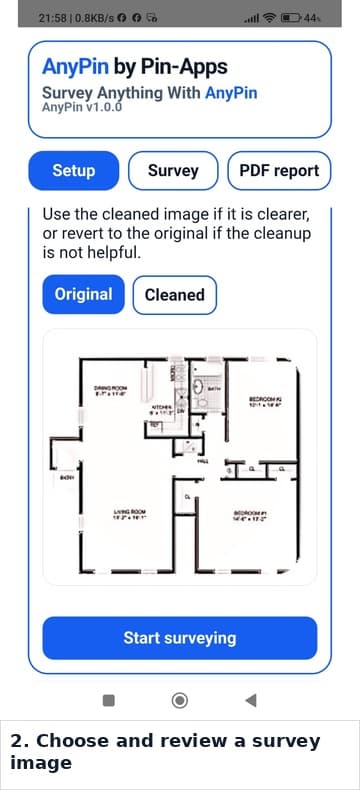
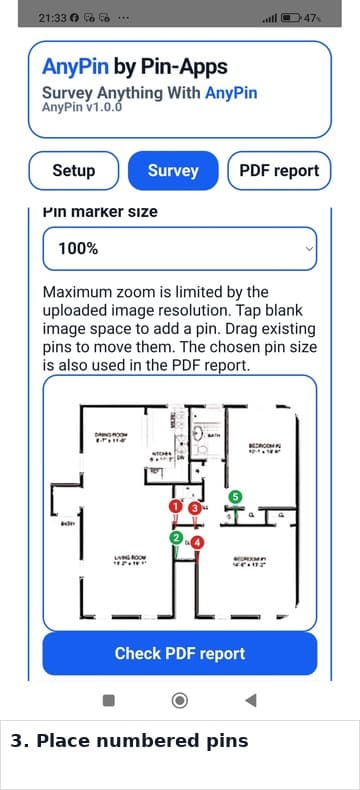
Swipe or scroll horizontally to see how AnyPin takes a project from image selection and numbered pins to a PDF report and local backup.
Professional output
Create Professional PDF Reports
AnyPin transforms your on-site observations into polished, shareable documents. The app is built to produce a clear and customized report that represents your business professionally, streamlining your entire workflow from data capture to delivery.
Include an opening introduction and a disclaimer or limitations statement for formal reports.
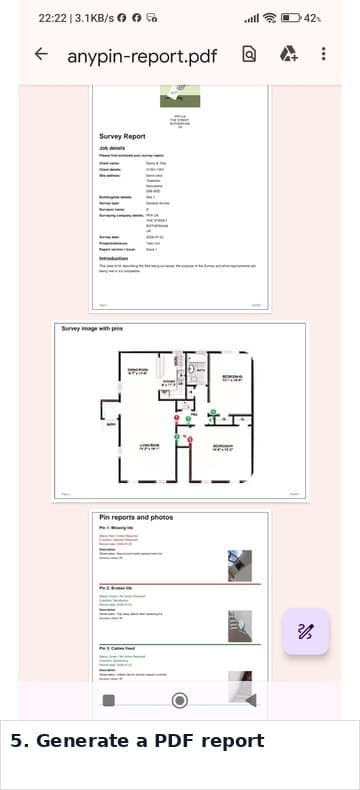
Generate a complete, multi-page PDF inspection report directly on your device.
Share your finished report using the sharing options available on your device, such as email, messaging apps, or cloud-storage services.
Combine the marked-up image, numbered pins, and detailed notes into one organized file.
Precise observations
Detailed and Flexible Data Capture
Record every observation with precision and clarity. AnyPin is designed for straightforward site checks, equipment surveys, and any image-based survey work where you need an unambiguous record of what was found and where.
Use any image as your survey base, including a live photo, saved photo, screenshot, floor plan, map, or diagram.
Place numbered pins on the image to mark the precise location of each observation.
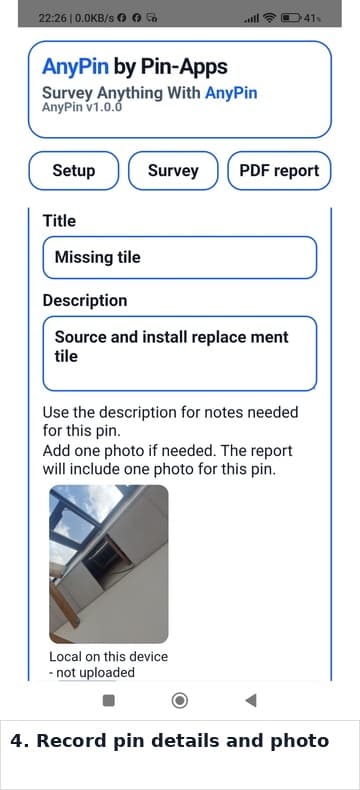
Attach a title, detailed description, status, and a supporting photo to every pin.
Customize pin colours to visually categorize different findings and statuses.
Resize pins to ensure they are clearly visible without obscuring important image details.
Offline-first by design
Built for Fieldwork: Offline & Private
Engineered for the realities of fieldwork, AnyPin’s core survey workflow operates entirely on your device. Your projects remain accessible without relying on a network connection or online service. This offline-first approach avoids many of the common frustrations of cloud-based apps.
Local and user-controlled
- Create, edit, save, reopen, and complete surveys offline.
- Keep your data private, as projects and photos are stored locally on your device and are not uploaded by AnyPin.
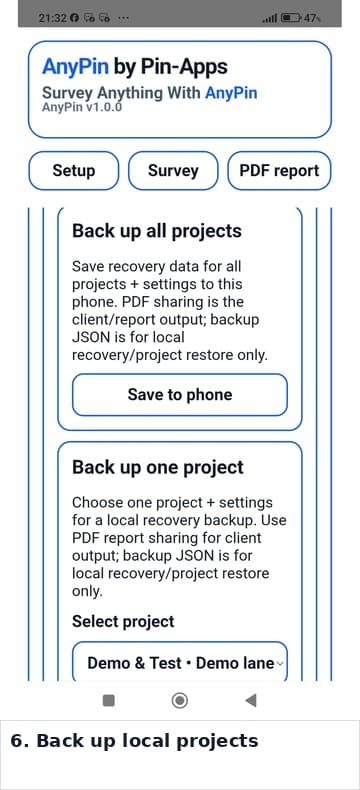
- Create local project backups for recovery or manual transfer between devices.
- Transfer a backup using email or another file-sharing method, then import it into AnyPin on another supported device.
- Get started immediately with no account registration, login, or cloud service required.
- Use a self-contained core survey workflow designed for reliable on-site use.
Backup support note: A receiving device may save a transferred backup outside the AnyPin Backups folder. If so, move the file into the AnyPin Backups folder before importing it.
From setup to delivery
A Simple, Repeatable Workflow
The process is designed to be intuitive, allowing you to focus on the inspection, not the software. A typical pre-work maintenance survey or site audit follows a few simple steps, from initial setup to the final inspection report.
- Setup: Start a project by entering your company, client, and site details for the report.
- Choose Image: Select any image from your device or take a new photo on site.
- Inspect & Pin: Walk the site, placing pins on the image to mark the location of each observation.
- Add Detail: For each pin, add your notes, a description, status, and a supporting photo for a complete record.
- Generate & Share: Create your final PDF report on your device and share it using your preferred available sharing option.
Clear records for any inspection
A straightforward, offline-first tool for any task that requires a visual inspection report.
AnyPin is designed for inspectors, surveyors, snaggers, auditors, and managers who need a simple, reliable tool for creating a clear inspection report with photographic evidence. It is also suitable for hobbyists and individuals who require a record of condition for personal projects.
Questions about AnyPin? Email support@pin-apps.com.